In our ongoing series Path to ML we have been exploring various tools and techniques that contribute to an efficient machine learning pipeline (ML). Today, I'd like to introduce you to our latest adventure: The Saga of Scheduled Synchronizations.
There are three main players involved in this journey - ReplicaDB, Docker, and Cron. If you have ever wondered how to automate table synchronization without losing sleep over it, this post is for you!
In an earlier post, we covered how to use ReplicaDB to synchronize data from a prod database to a local db for EDA (Exploratory Data Analysis). As we proceed in this series, we will need to merge and pick from multiple tables any data that could help us model our prediction. ReplicaDB doesn’t support this out of the box (Multiple Table Sync). We also need a way to continuously run ReplicaDB sync jobs should we intend to build a continuous learning pipeline. This means we need a way to get around to syncing multiple tables and also using CRON to schedule the jobs.
The changes required for ReplicaDB to allow syncing multiple tables are pretty straightforward. You are in luck, I have the script on how to do it over here:
#!/bin/bash
java -version
tableNames=table_1,table_2,table_3
for tableName in ${tableNames//,/ }
do
    # call replicadb
    echo "Replicating ${tableName}"
    /home/replicadb/bin/replicadb --options-file /home/replicadb.conf --source-table "${tableName}" --sink-table "${tableName}"
done
Ensure you store the source and sink details in the replicadb.conf as always, without specifying the tableName.
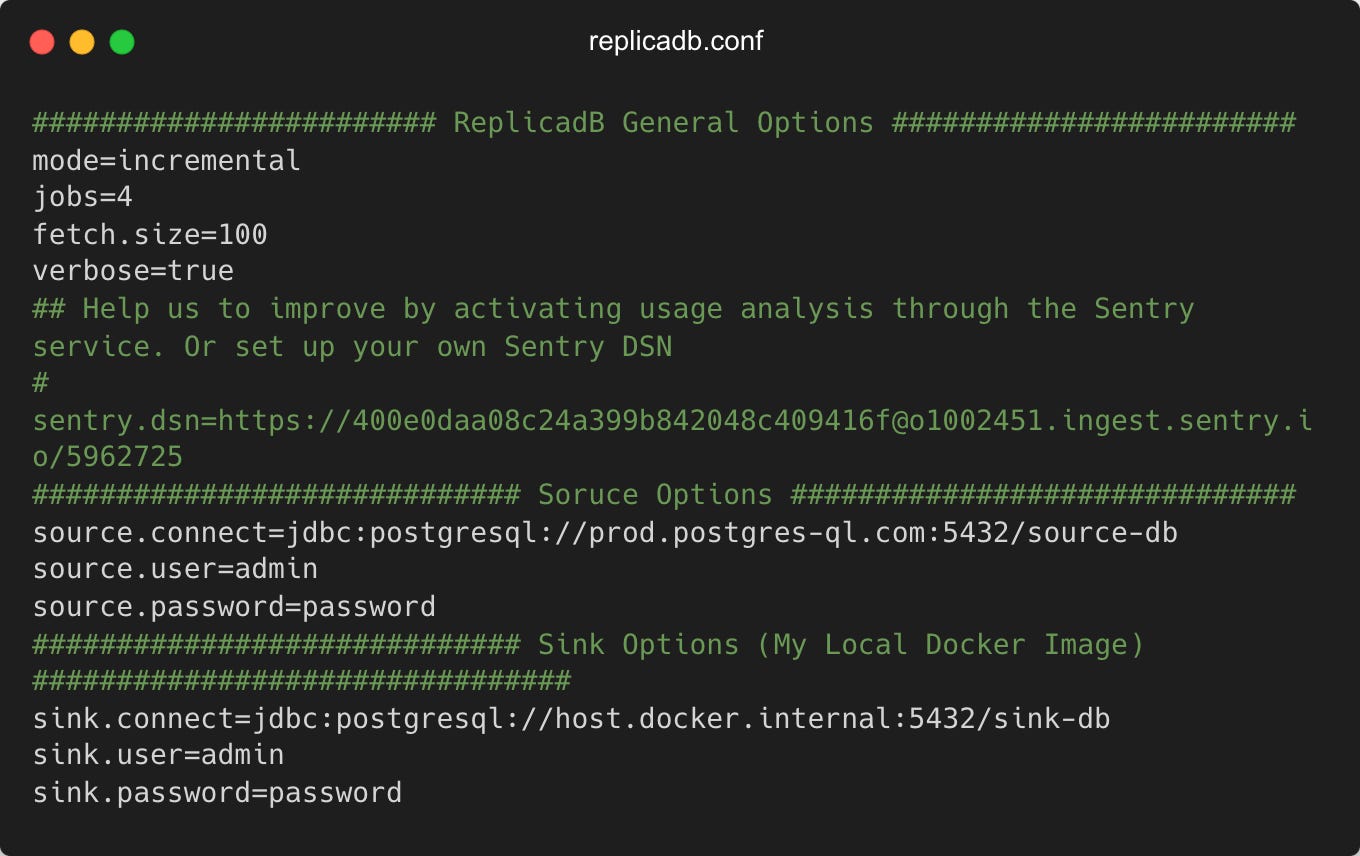
Dockerize Everything!
The next step is to dockerize everything and make sure this can run at a time that the production environment doesn’t experience high-volume traffic. In your case, the motivation could be different. I find 2 AM is the perfect time for sensure. There aren’t many vehicles driving at that time and I’m usually heading to bed to get ready for my day job. The Dockerfile packaged with the repo is a good starting point but it lacks the other packages we need (cron, bash, curl).
I started with a Dockerfile that looked something like this:
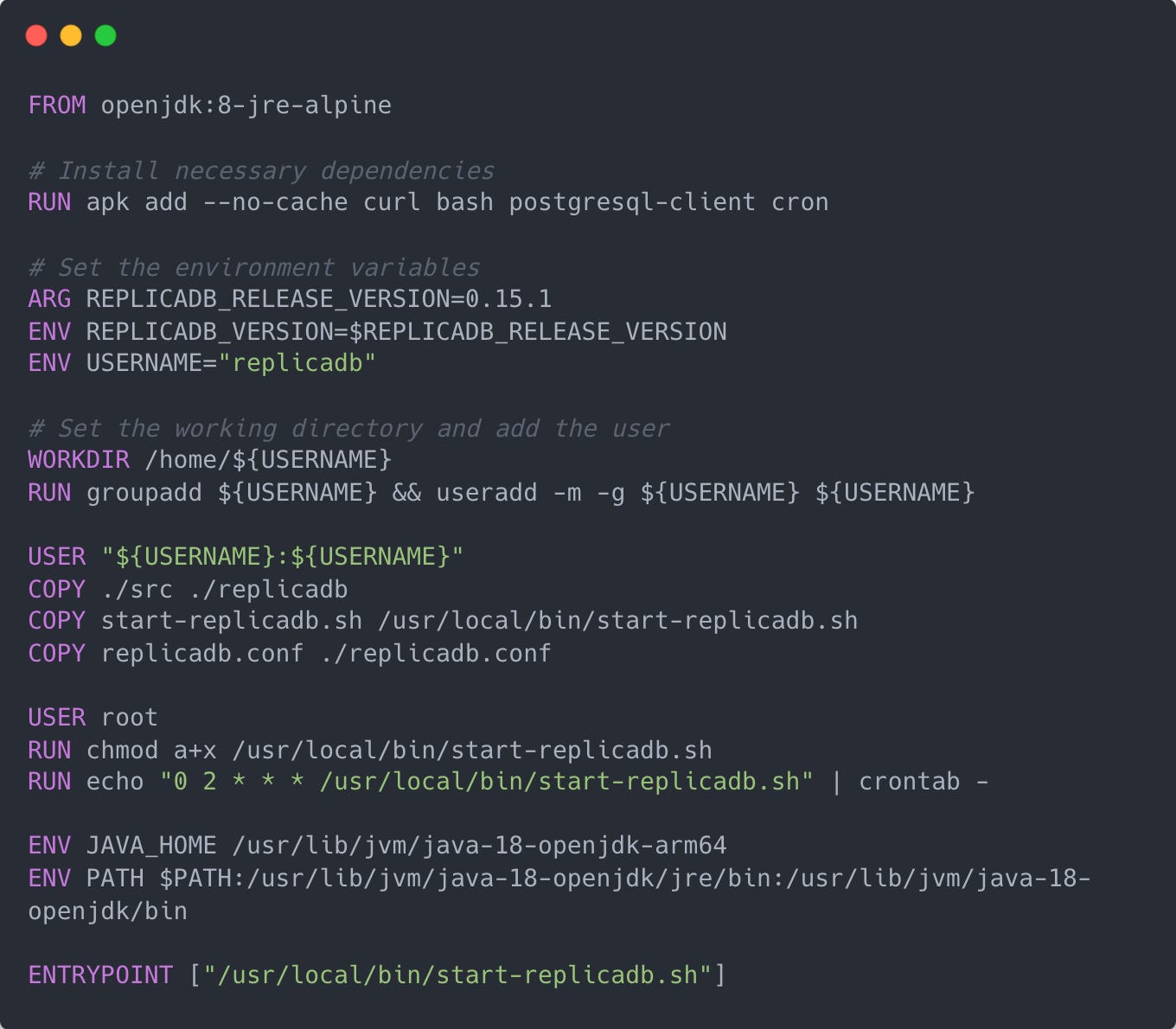
When Docker Fights Back
A Dockerfile can be as stubborn as a mule if you make a wrong move. I've made a few of these, but with each one, I learned something new.
Initially, I tried using the openjdk:18-jdk image, but it was too limited for what I wanted to accomplish. To work around the problem, I based my Docker image on Ubuntu and manually installed Java, only to run into more problems. Oh, the joy of coding! Eventually, I found a way to tame the Dockerfile which resulted in a leaner final Docker image.
In the end, I created an image that not only had ReplicaDB installed but also ran a script (start-replicadb.sh) on startup that initiated table synchronization. Speaking of which...
FROM ubuntu:latest
# Install necessary dependencies
RUN apt-get update && apt-get install -y curl bash postgresql-client cron wget openjdk-18-jdk \
    && rm -rf /var/lib/apt/lists/* \
    && export JAVA_HOME="$(dirname $(dirname $(readlink -f $(which java))))" \
    && echo $JAVA_HOME
# Set the environment variables
ARG REPLICADB_RELEASE_VERSION=0.15.1
ENV REPLICADB_VERSION=$REPLICADB_RELEASE_VERSION
ENV USERNAME="replicadb"
# Set the working directory
WORKDIR /home/${USERNAME}
# Add the user
RUN groupadd ${USERNAME} && useradd -m -g ${USERNAME} ${USERNAME}
USER "${USERNAME}:${USERNAME}"
COPY ./src ./replicadb
COPY start-replicadb.sh ./start-replicadb.sh
COPY replicadb.conf ./replicadb.conf
# Make the script executable
USER root
RUN chmod a+x start-replicadb.sh
# Add a crontab rule
RUN echo "0 2 * * * /home/${USERNAME}/start-replicadb.sh >> /var/log/cron.log 2>&1" | crontab -
# Set the entrypoint
ENTRYPOINT ["./start-replicadb.sh"]
Go ahead and fire up the image It should run an initial sync and the successive syncs should occur at the set cron rule. Pay attention to the following line:
RUN echo "0 2 * * * /home/replicadb/start-replicadb.sh" | crontab - ....In conclusion, this was an epic adventure into the heart of Docker, Cron, and ReplicaDB. This journey taught me the importance of perseverance and creative problem-solving. Dockerizing ReplicaDB and using Cron for job scheduling not only made the process more efficient but also allowed for better management of the sync jobs.
So, the next time you're faced with a challenge, remember - you can achieve great things with a little bit of code, a dash of persistence, and a healthy dose of 2 AM Cron jobs. Happy coding!
Stay tuned and subscribe. I will be going through alternate tools that can make this process even better. Using more ML Ops specific tools like MLFlow, AirFlow etc.
(Note: The code in this post has been simplified for readability.)
First published on Substack.